
Introduction
The parcel desk can obtain prices, but its comparison method still returns no winners. You will make it compare rule objects, preserve all lowest-price ties, and save a complete quotation file for several parcels.
This lab starts independently with the two rule implementations from the previous guided lab already prepared. It assumes that lab's interface, eligibility and integer-step pricing. You will add a new parameterized instance of an existing rule, rather than invent another pricing algorithm. All fees are synthetic. Time is an author estimate.
Compare Through the Interface
In this step, you will implement a comparison method that works with any supplied ShippingRule, including a new implementation that the comparator has never seen.
Open WebIDE. Choose File → Open Folder... in WebIDE, enter /home/labex/project/parcels in the path field and click OK. Wait until EXPLORER shows PARCELS. Choose Terminal → New Terminal to open the integrated terminal panel. Use its integrated terminal for the commands below. Each command runs in the same shell; cd changes that shell's working directory. If you create another terminal, repeat the cd command. The prepared JDK and source framework do not require a build-tool installation.
cd /home/labex/project/parcels
./quote.sh quote 1500
Town and Steps both show 600. This normal tie is why keeping only one cheapest rule would lose a valid choice. The complete public and input contract is:
The public contract is ShippingRule.id() and ShippingRule.quote(Parcel), with Quote.eligible() and Quote.cents(). RuleFactory.flat(String, int, long) and RuleFactory.stepped(String, int, int, long) create rule objects; QuoteEngine.bestRules(Parcel, List<ShippingRule>) returns every winning rule ID. These signatures let the same caller use different implementations. You may organize implementation classes differently, including changing RuleFactory to construct them. Keep these public methods and the supplied command/output format working; class names inside the factory and your editor are not assessed.
Supported parcel weights are integers from 1 through 1,000,000 grams. Rule maximums and step sizes are integers from 1 through 1,000,000; each flat price or step price is an integer from 0 through 1,000,000 cents. A zero-cent eligible offer is valid. It differs from Quote.unavailable(), whose eligible() is false and whose stored cents must not participate in comparison. A long stores calculated cents, so a large valid product does not overflow a 32-bit int. All rates, people and parcel names are synthetic; these are not live carrier prices.
Before changing the comparison, trace how a quote reaches it. Expand src in the file tree. Open ShippingRule.java and Quote.java to recall the common methods and the eligibility flag. Open RuleFactory.java: its flat and stepped methods return ShippingRule objects rather than asking callers to use implementation classes. Then open QuoteApp.java and use editor Find to locate readRules. The reader passes each row's parameters to the factory, and the batch workflow passes the resulting list to QuoteEngine.bestRules. You will edit that final decision, keeping the input reader and factory working.
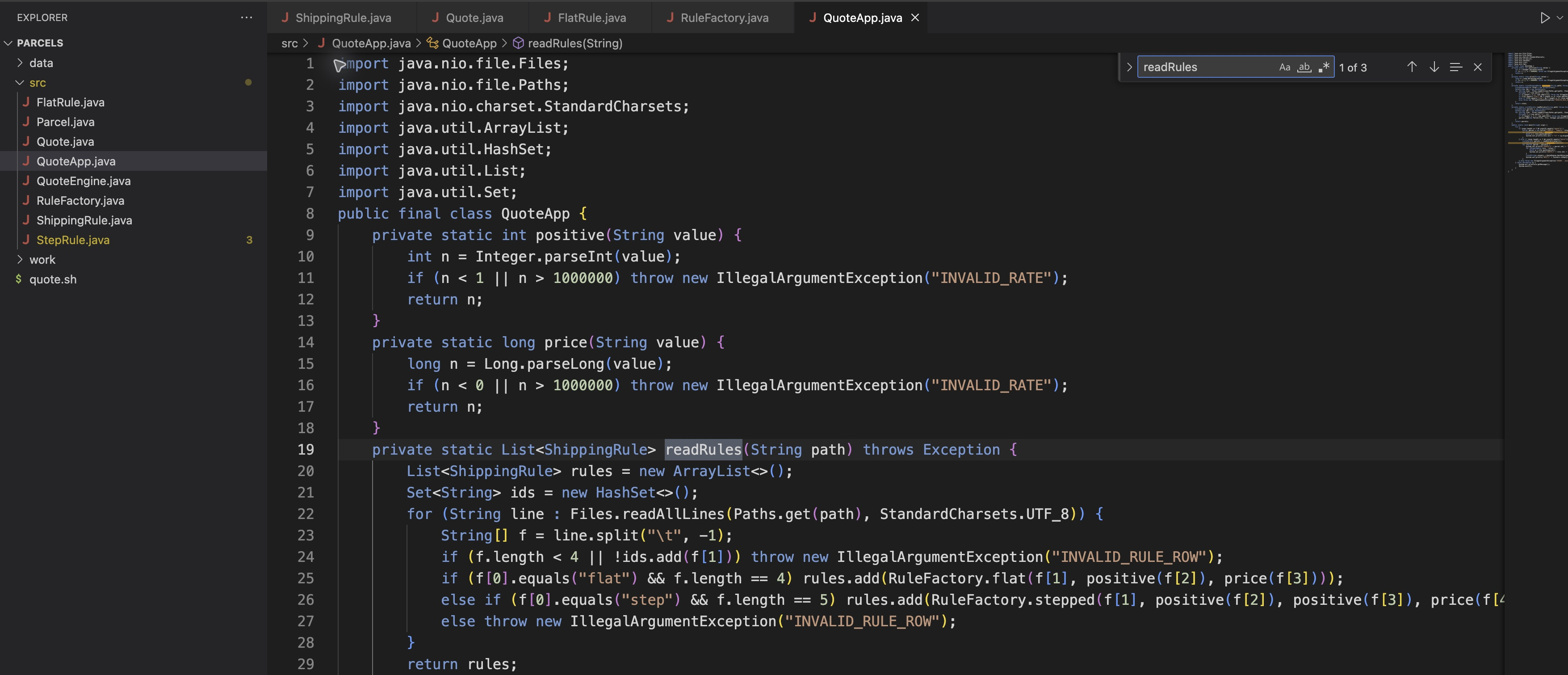
In QuoteApp.java, Find locates readRules and its calls to RuleFactory. The long stepped-rule call continues beyond the visible edge.
Predict the result for the observed 1,500-gram tie: a comparison must return both IDs. Now open QuoteEngine.java. Its imports and method signature are already prepared, but the body returns an empty list. You will change only that body, rather than replacing the class.
The comparator receives a List<ShippingRule>. Each element can be a different implementation; an enhanced for loop visits every object. Call quote(parcel) instead of testing a rule name or using instanceof to reproduce its business logic.
Start with an empty winner list and Long.MAX_VALUE, the largest long, as a comparison sentinel. Skip ineligible quotes with continue. A strictly lower price replaces the previous minimum, so clear() removes obsolete winners. An equal price adds its ID. These are two separate if statements: a newly established minimum must also be added. When nothing qualifies, the list remains empty.
Make a source-only backup in the integrated terminal before editing. cp copies the first file to the second path; do not overwrite this backup later with a broken version.
cp src/QuoteEngine.java work/QuoteEngine.java.before-edit
Return to QuoteEngine.java. Click inside the source editor. Press Ctrl+F (Command+F on macOS) to open the editor's Find field. Enter public static List<String> bestRules in the Find field. Close Find with its × button and click the source again before selecting or typing; otherwise you may edit search text instead of Java. Select only its placeholder comment and empty-list return inside the method. Leave its signature, enclosing braces, imports and class intact. Replace the selected lines with this method body:
List<String> winners = new ArrayList<>();
long lowest = Long.MAX_VALUE;
for (ShippingRule rule : rules) {
    Quote quote = rule.quote(parcel);
    if (!quote.eligible()) continue;
    if (quote.cents() < lowest) {
        lowest = quote.cents();
        winners.clear();
    }
    if (quote.cents() == lowest) winners.add(rule.id());
}
return winners;
Choose File → Save for QuoteEngine.java and wait until its tab shows the close ×. Auto Save may already be enabled; leave it as it is. Then return to the same integrated terminal. If you need to confirm which version will compile, cat src/QuoteEngine.java displays its saved disk text without changing it. Run the complete batch:
./quote.sh batch data/parcels.tsv data/rates.tsv
batch takes a parcel TSV path and a rate TSV path. Parcel rows are ID, display name and integer grams. The output groups each parcel with all its quotes and a BEST row. UNAVAILABLE means that one rule cannot carry it; BEST NONE means that no rule can. A valid batch with no eligible offer exits successfully (status 0).
For P02, both Town and Steps must be in BEST; P03 is one gram heavier and Town alone wins. P01 and P02 are both named Gift, but their different IDs keep their quotes separate. P04 has no eligible rule. Preserve every parcel and every rule, including unavailable results.
Register Another Rule and Keep Complete Quotes
In this step, you will register a new flat-rule instance without changing the comparator, then save results that a parcel desk can read later.
Continue in the WebIDE integrated terminal, in /home/labex/project/parcels. Revisit RuleFactory.java and the readRules method in QuoteApp.java if you need to trace registration: the rate reader uses RuleFactory to construct the requested implementations. Another flat row therefore creates another object with independent parameters. Keep the original data/ files unchanged. cp makes a working copy; printf writes text, \t represents a tab, and \n ends the row. >> appends to a file rather than replacing it.
cp data/rates.tsv work/rates.tsv
printf 'flat\tRelay\t6000\t600\n' >> work/rates.tsv
./quote.sh batch data/parcels.tsv work/rates.tsv
Relay is eligible through 6,000 grams at 600 cents. P02 now has three tied winners, while P04 at 6,500 grams still has none. You changed the registered rule collection, and the original comparison code kept working.
The output is the actual quotation deliverable. > saves standard output to a file, replacing an existing file with that name. Only save a valid batch, because the shell opens that output file before Java validates its inputs:
./quote.sh batch data/parcels.tsv work/rates.tsv > work/quotes.tsv
cat work/quotes.tsv
Every ID must have one PARCEL row, one QUOTE row per registered rule, and one BEST row containing all minimum eligible IDs separated by commas, or NONE. Amounts remain integer cents. Rule and winner order may follow the registered list; membership and relationships are what matter.
An invalid weight is different from a valid parcel with no offer. The supplied invalid fixture contains BAD at zero grams. The parser validates the entire batch before printing any quotes; an invalid batch exits with status 2, writes an explanatory error to standard error, and produces no quotation rows. Run this intentional failure without redirecting it over your good report:
./quote.sh batch data/invalid-parcels.tsv work/rates.tsv
Expect INVALID_WEIGHT BAD. Recover by returning to the valid parcel file:
./quote.sh batch data/parcels.tsv work/rates.tsv
The original parcel and rate records and your good work/quotes.tsv remain intact. For a compilation error, read the filename and line in the integrated terminal, open that source in the file tree, correct the local edit in that tab, choose File → Save, wait for the saved state, and use cat src/QuoteEngine.java to confirm the disk version before rerunning. If the comparison edit affected the wrong code, cp work/QuoteEngine.java.before-edit src/QuoteEngine.java restores only that initial unfinished source; implement its method again before checking. It does not reset rule sources, reports or original data. For a path error, repeat cd /home/labex/project/parcels, then rerun. The launcher rebuilds saved sources on every run; it uses UTF-8 explicitly as in the previous lab.
The checks compile unchanged copies in temporary fixtures, including other legal parameters and interface implementations. They do not add missing live results or rewrite your workspace. This is functional assessment in a training environment, not protection against an administrator falsifying files.
Summary
You compared interface objects without carrier-specific branches, retained all tied minimum prices, and represented a valid lack of offers explicitly. Adding a configured rule reused the same workflow. Your saved quotation file keeps the identity and complete choice set for every parcel.