
Introduction
Improve a playable local quiz so questions and choices can move without changing the meaning of an answer. You need Python functions, lists, dictionaries, conditions and loops. JSON, random selection, input validation and the terminal editor are explained here. The prepared engine displays questions, submits answers once and gives feedback; you edit three rules in logic.py.
Open the Terminal tab. All commands and keyboard actions below use that same terminal. The starting quiz already handles one displayed numeric answer per question, in fixed order. Random selection, option movement, retries and q are not ready yet. Keep engine.py, quiz.py, demo.py and bank.json unchanged. Only logic.py is an editing target. Estimated reading and practice time: 40 minutes; not a measured beginner time.
Select Questions and Move Whole Options
In this step, play the working fixed-order quiz, read its rules, then improve two functions locally. In the Terminal tab, cd changes the working directory and python3 runs a Python file:
cd /home/labex/project
--ordered asks the prepared shell to keep the known question and option order. --count 2 requests at most two questions. Run the real quiz:
python3 quiz.py bank.json --ordered --count 2
At its first prompt, enter 1 for Sun. At its second, enter 2 for Moon. Both show Correct!, followed by:
Score: 2/2 answered
This is the same quiz.py and engine you will improve, not the separate fixed demo.py. It works within its current limits: use a displayed number once; invalid input and q currently stop with an error. Do not test those unfinished behaviors yet. The task is to keep correct answers while adding variation and later a useful input loop.
cat displays a text file. Read the bank, then the three local rules:
cat bank.json
cat logic.py
JSON represents lists with [], dictionaries with {}, and strings with double quotes. Each question has a question_id, a prompt, options and correct_option_id. Each option pairs option_id with text. IDs are stable; screen numbers are positions. Sky and tide both offer Sun/Moon, but Sun is correct only for sky. An answer's identity is the question and option pair. IDs and visible texts are unique within each supplied question, but can recur in another question.
Read the short prepared engine before changing the rules:
cat engine.py
In play_round, follow the calls to choose_questions, move_options and read_answer. The engine pairs the returned option ID with the current question ID, submits once and gives feedback. You will preserve that engine. In logic.py, the initial selection takes a fixed list slice, options are copied without moving, and valid numbers already map to their displayed option objects.
Edit only question selection
rng is a supplied random-generator object. Its sample(items, count) returns a new list without repeated selections. The supplied banks have unique question IDs. The requested count is positive; min(count, len(questions)) caps it at the bank size. Randomness adds gameplay variety, not security.
Open the existing file with nano, a terminal text editor:
nano logic.py
Click inside the terminal before using its keys. At the bottom, ^ means Ctrl, so ^O means Ctrl+O. Use Ctrl+W, type def choose_questions, then Enter to find the function. The line beginning def is its signature; preserve it. Move Down to the indented return line, press Home to reach its start, then Ctrl+K once to cut that whole line. Type this replacement line with four spaces before return, then Enter:
return rng.sample(questions, min(count, len(questions)))
Leave move_options and read_answer intact. To save, press Ctrl+O, keep logic.py as the filename and press Enter. Wait for the written-line confirmation, then Ctrl+X to exit. The shell prompt must reappear before you run a command. Opening nano again does not reset your work.
Run a real two-question round:
python3 quiz.py bank.json --count 2
Question order and the chosen pair may vary. Answer by the current question: Sun for the star, Moon for tides, Root for soil water. Read the displayed number next to that text. Correct answers give Score: 2/2 answered. The options are still in their original order: only question selection changed.
Move whole options
shuffle(items) changes a list in place. Copy question["options"] first, then shuffle the copy so the bank stays unchanged. Move whole dictionaries so each ID remains attached to its text.
Open nano logic.py again. Search for def move_options with Ctrl+W and Enter. Move to its one indented body line, use Home, then Ctrl+K once. Replace that line with these three lines, each beginning with four spaces. Press Enter after each line:
    options = question["options"].copy()
    rng.shuffle(options)
    return options
Keep your completed choose_questions and the existing input function. Save with Ctrl+O, Enter, then exit with Ctrl+X after the write confirmation. Do not append another function with the same name.
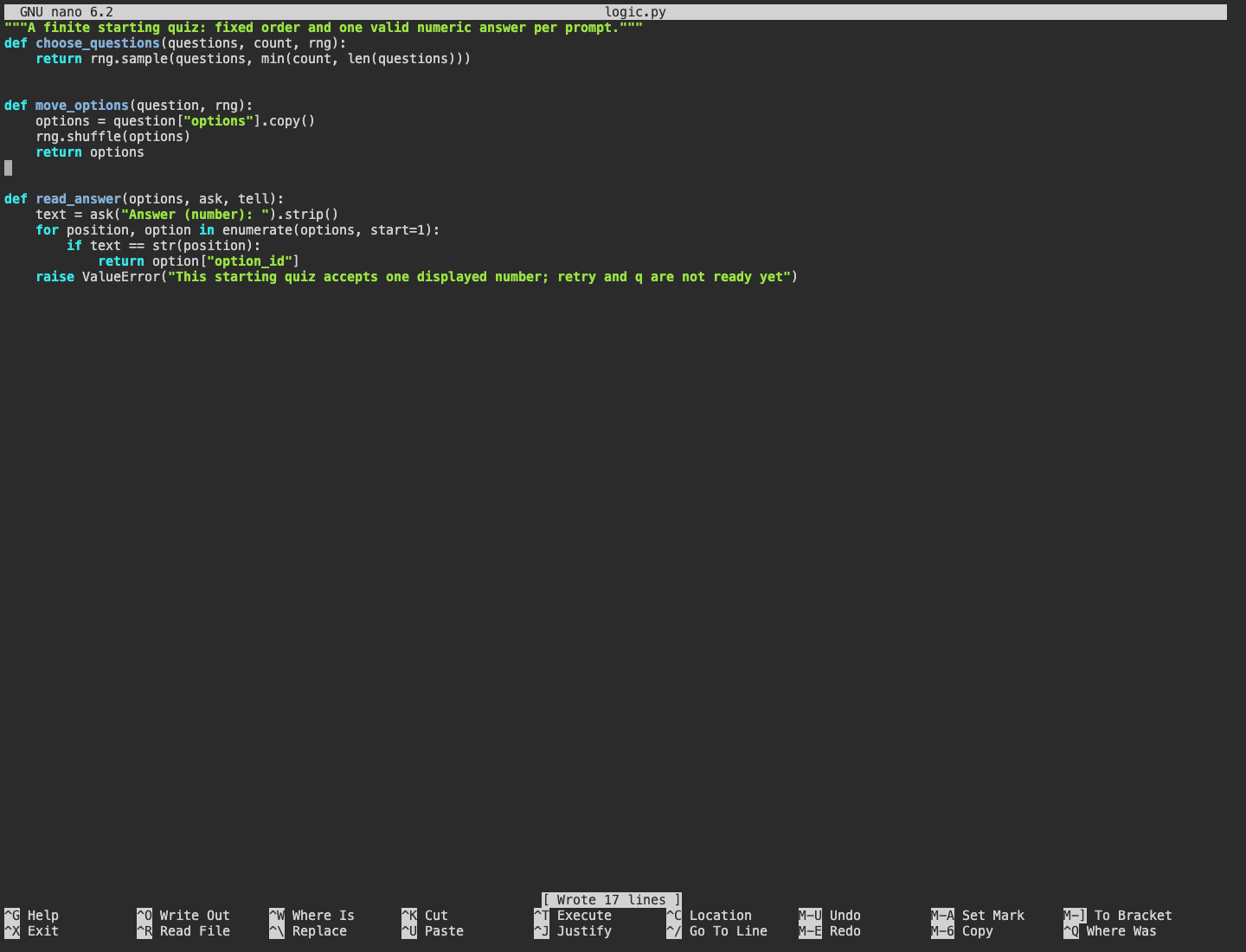
Look at move_options: it copies, shuffles and returns whole options. The other functions remain present. At the bottom, the Wrote 17 lines message confirms this saved edit; the input function is still the limited starting rule at this checkpoint.
Play all available questions:
python3 quiz.py bank.json --count 100
There are only three questions, so each appears once. Questions and option positions can now change. Answer by the visible text, reading its current number; a correct round ends Score: 3/3 answered. Two random rounds can happen to look similar, so one repeated order does not by itself prove a defect. The self-check exercises varied orders and checks that the bank is preserved.
If Python reports a syntax error, read its filename and line. Open nano logic.py, search for the affected function and correct only that edit. Check the four-space body indentation and punctuation against the small block above, save and exit. Keep the other functions and bank; no VM reset or whole-file rewrite is needed. Run this step's check after both random rules are ready. Retries and q are still the next step's work.
Map a Valid Number Back to Its ID
In this step, keep the existing valid-number mapping and add retries and a clean quit. Continue in the same Terminal tab. The engine supplies ask for input and tell for output. ask returns text; strip() removes surrounding whitespace. enumerate(options, start=1) pairs each displayed option with its number.
The starting read_answer already compares text with str(position) and returns that option's ID. Keep this identity relationship. Comparing exact spellings also rejects 01, oops, -1, 0 and out-of-range values. Change the failure policy: a while True loop asks again, while q returns None before the engine submits anything. lower() makes Q and q use the same quit choice. return leaves the function once a valid answer or quit is found.
Open nano logic.py and search for def read_answer. Preserve that signature and both completed random functions. Move down to its body, press Home, then cut only its five indented body lines with Ctrl+K five times. Replace them with the following body. Use four spaces for while, eight inside it, twelve inside the if/for, and sixteen before the innermost return. Press Enter after each line:
    while True:
        text = ask("Answer (number or q): ").strip()
        if text.lower() == "q":
            return None
        for position, option in enumerate(options, start=1):
            if text == str(position):
                return option["option_id"]
        tell("Enter one displayed number, or q to stop.")
Save with Ctrl+O, Enter, wait for the write confirmation, then Ctrl+X. Read the saved rules:
cat logic.py
All three functions must still be present once. Play all questions again:
python3 quiz.py bank.json --count 100
At the first prompt, enter oops, -1, 0 and 99 in turn. Each must show Enter one displayed number, or q to stop. and ask again for the same displayed question. Then answer every question by its text: Sun for the star, Moon for tides, Root for soil water. Read the current number each time. Correct feedback and stable question/option identity lead to:
Score: 3/3 answered
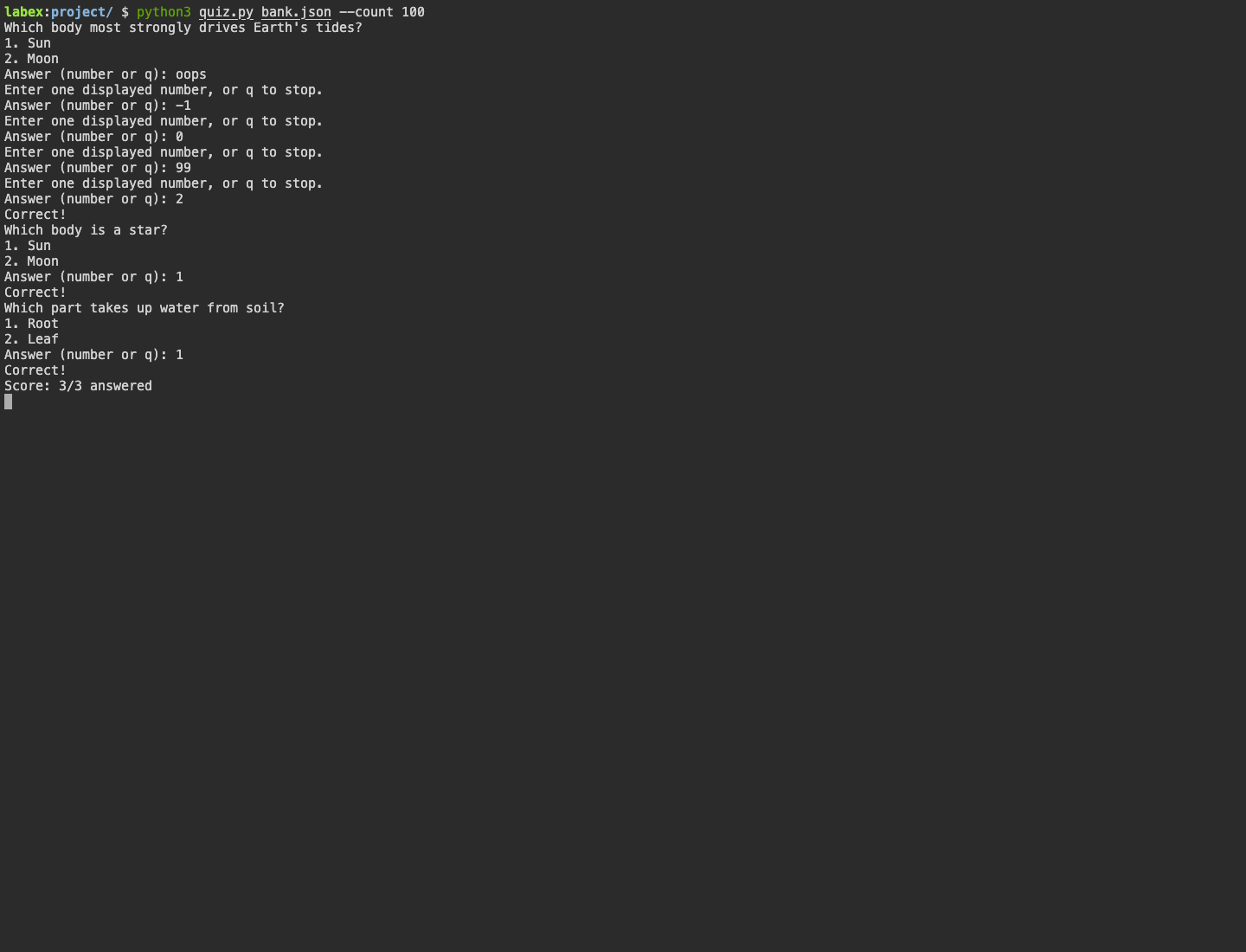
In this example, four invalid strings repeat the first prompt without submitting an answer. A valid displayed number then receives feedback, and the three-question round finishes 3/3. Your random order and displayed numbers may differ.
Now practice a common filename error. bank.jso below is intentionally misspelled. The first command should fail before gameplay. $? is the immediately preceding command's exit status; printf displays it before another command replaces it:
python3 quiz.py bank.jso --count 2
printf 'Exit status: %s\n' "$?"
Quiz error: [Errno 2] No such file or directory: 'bank.jso'
Exit status: 1
Use ls to inspect the actual filenames, then recover with bank.json:
ls
python3 quiz.py bank.json --count 2
Enter q immediately at its first answer prompt:
Score: 0/0 answered
An unanswered question is absent, not wrong. The engine still owns submission, feedback and score; read_answer returns only one stable ID or None. If an editor mistake causes a traceback, return to the named function in nano, correct that local body, save and retry. Preserve your other functions and the supplied files. Run the final self-check once these input behaviors work.
Summary
You built a reusable playable quiz with finite random selection and stable answer mapping. No records are saved in this unit.